Embark on a humorous yet insightful journey into the chaotic world of DIY computer upgrades, where tangled cables, incompatible parts, and unforeseen surprises turn a simple enhancement into an adventurous ordeal. From the initial excitement of swapping components to the frustration of troubleshooting hardware mishaps, this narrative captures the unpredictability and camaraderie that define tech upgrades. As new hardware innovations like NVMe SSDs and RGB aesthetics emerge, the landscape becomes more accessible—yet still riddled with potential pitfalls. Will future tools—powered by AI diagnostics and modular designs—ease the chaos, or will the unpredictability remain part of the thrill? This lively exploration invites you to embrace the chaos, learn from mishaps, and discover that every tangled wire is part of the journey toward mastering your system—making each upgrade not just a performance boost, but a memorable adventure.

Embark on a Hilarious Journey Through DIY Computer Upgrades
Upgrading your computer on your own might sound like a straightforward task—just swap out a component, click a few buttons, and you’re good to go. But in reality, it’s often more chaotic and amusing than most tutorials suggest. What begins as a simple project quickly turns into a wild adventure through a maze of tangled cables, confusing manuals, and unexpected surprises that make you question your tech skills. It’s like stepping into a comedy sketch where nothing quite goes as planned.
The process usually kicks off with good intentions: pick the upgrade you want, do some quick research, and gather your tools. But as soon as you open the case, you’re greeted by a jumble of wires that seem to have a mind of their own. Compatibility issues pop up out of nowhere—your shiny new graphics card might be just a millimeter too big for your case, or your RAM sticks refuse to click into place. These tiny hurdles can turn a quick upgrade into a frustrating puzzle that tests your patience and problem-solving skills.
Once you start installing parts, the chaos only escalates. You might realize too late that you forgot to remove the old modules or that a cable isn’t plugged in quite right. Inside the case, wires loop and knot into what could only be described as a spaghetti factory gone wrong. Untangling this mess becomes part of the ritual, often accompanied by sighs, muttered curses, and the occasional screw rolling off the desk and into the abyss. Hardware surprises, like a GPU blocking airflow or a CPU installed backward, can make the process even more unpredictable and hilarious.
Troubleshooting becomes an inevitable part of the journey. Sometimes, your system refuses to recognize the new drive or hardware, regardless of how carefully you follow instructions. BIOS updates, driver conflicts, static shocks—each adds another layer of complexity and potential chaos. But amid the frustration, there’s humor and a strange sense of achievement when you finally crack the code and get everything running smoothly.
Despite the mess, these mishaps become memorable stories you’ll laugh about later. Every tangled cable or incompatible part is a badge of honor—proof that you’re willing to dive into the chaos and learn along the way. It’s in these moments of frustration, followed by laughter, that DIY upgrades turn into more than just performance boosts—they become adventures. And with each successful project, you grow more confident to face the next tangled wire or hardware surprise, knowing that chaos is just part of the fun.
The Unpredictable, Chaotic Comedy of Hardware Makeovers
Upgrading a computer isn’t exactly the smooth process most tutorials make it seem. Instead, it’s more like jumping into a slapstick comedy where chaos is the main character. One minute, you’re carefully unscrewing the side panel, and the next, you’re tangled in a mess of cables that seem to have a life of their own, refusing to cooperate. Hardware parts often behave like stubborn children—fitting just enough to give you hope, then suddenly refusing to click or work properly. It’s almost as if they’re testing your patience, one incompatible slot or misaligned connector at a time.
Once you start swapping parts, surprises keep piling up. You might install a shiny new RAM stick only to realize you forgot to remove the old modules, or that the new one isn’t recognized because it’s not seated correctly. More often than not, a loose cable or an improperly connected wire turns out to be the culprit, transforming what should be a simple upgrade into hours of troubleshooting. Inside the case, wires loop and knot into what looks like a spaghetti factory gone wrong, making you wonder if you accidentally signed up for some kind of DIY wiring challenge.
Hardware surprises aren’t limited to just wires. Sometimes, your new graphics card is just a millimeter too big for your case, forcing you to get creative with cable rerouting or even case modifications. Installing a CPU backward or knocking over a tiny screw can cause unexpected setbacks, turning what should be a quick project into an all-day ordeal. I’ve seen friends spend hours troubleshooting a system that refuses to boot, only to find a forgotten power cable or a dead-on-arrival part was the real issue. Sharing these stories with fellow tech lovers usually results in hearty laughs and a sense of camaraderie born from shared chaos.
The unpredictability extends beyond hardware. Your system might flat-out refuse to recognize a new drive, no matter how carefully you follow instructions. BIOS updates, driver conflicts, static shocks—these can all throw a wrench in your plans. It’s a reminder that even the simplest upgrade can spiral into a full-blown puzzle, with each misstep adding another layer of complexity. The frustration is real, but so is the humor—especially when you finally discover that a loose cable or a forgotten BIOS update was the problem all along.
Despite all the mess, there’s a strange thrill in these mishaps. Every tangled wire or incompatible part becomes a badge of honor, proof that you’re willing to dive headfirst into the chaos and learn as you go. It’s in those moments of frustration—and the eventual laughter—that DIY upgrades become memorable. Because at the end of the day, the chaos isn’t just part of the process; it’s what makes the journey worth sharing. Each setback, each unexpected snag, adds a layer of stories you’ll laugh about long after the project is finished, transforming chaos into camaraderie and experience.
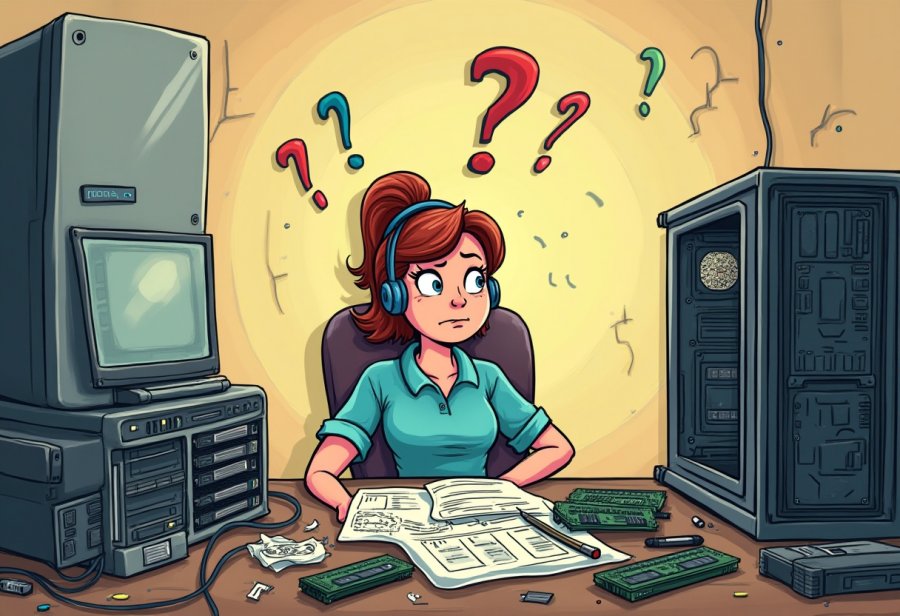
Current Trends Turning Chaos into Creative Power
In recent years, DIY computer upgrades have become more accessible and exciting, thanks to a wave of new hardware options and community-driven innovations. Affordable high-performance components like NVMe SSDs have transformed the upgrade landscape, offering lightning-fast boot times and data transfers without the need for a full rebuild. These compact drives are now a go-to for anyone looking to boost their system’s speed with minimal fuss, turning what used to be a complex process into a straightforward upgrade.
Meanwhile, aesthetic upgrades like RGB cooling systems and flashy case lighting have gained popularity, blending performance with style. Enthusiasts enjoy customizing their setups to reflect personality and flair, often making their rigs as much about visual appeal as raw power. Manufacturers are paying more attention to compatibility and plug-and-play features, streamlining the process of swapping parts and reducing the typical headaches associated with hardware mismatches. Clearer support and built-in compatibility checkers help prevent the frustration of incompatible components, giving DIYers more confidence to experiment.
Upgrade kits have also gained traction, especially among newcomers who find the idea of selecting individual parts overwhelming. These bundles include compatible motherboards, CPUs, RAM, and other essentials, minimizing the chance of mismatched hardware. This approach simplifies the process, making it more approachable for beginners while reducing the chaos of troubleshooting compatibility issues. With everything bundled together, even those new to DIY upgrades can dive in with less anxiety and more success.
Energy efficiency is rapidly shaping the future of upgrades. Builders now prefer high-efficiency power supplies and low-wattage components that deliver solid performance while reducing electricity consumption. These choices lead to quieter, cooler systems and longer-lasting hardware, aligning performance with sustainability. As standards evolve, compatibility and eco-friendliness are becoming key factors in upgrade decisions, prompting a shift toward smarter, greener setups.
Online communities continue to be a vital resource, fostering a culture of shared knowledge and experimentation. Forums, YouTube tutorials, and social media groups are filled with real-world tips and stories, helping DIYers avoid common pitfalls like static shocks or incompatible parts. These platforms turn what could be chaos into collective learning, encouraging experimentation and resilience. Staying engaged with these communities helps enthusiasts keep pace with emerging trends and hardware innovations, making upgrades less intimidating and more fun.
Looking ahead, the landscape promises even more innovation and user-friendly features. Modular cases that allow tool-less swaps, customizable cooling solutions, and smarter diagnostic tools are on the rise, making upgrades less stressful and more enjoyable. Compatibility checkers powered by AI are beginning to offer real-time support, flagging potential issues before they turn into chaos. As hardware standards like PCIe 5.0 and DDR5 RAM become mainstream, staying current means embracing a mindset of curiosity and adaptability. In this evolving environment, chaos is still part of the journey, but it’s becoming more manageable—and even exciting—thanks to smarter tools and a vibrant community.
Master the Art of a Smooth, Successful Upgrade Adventure
Successfully upgrading your computer begins with a clear plan. Before diving into hardware swaps, define what you want to achieve—whether it’s faster load times, better gaming performance, or more storage. Doing a quick compatibility check on your motherboard, power supply, and case ensures your new parts will fit and work together smoothly. Gather essential tools like screwdrivers and anti-static wristbands, and set up a clean, organized workspace. A tidy environment helps prevent lost screws and makes cable management less chaotic, setting the stage for a smoother upgrade process.
When installing new components, take your time and follow detailed guides or manuals. Handle delicate parts like RAM and CPUs with care, and double-check every connection before powering on. Loose cables or improperly seated hardware are common pitfalls that can cause system failures or instability. Patience is your best ally here—rushing often leads to mistakes that can turn a simple upgrade into a troubleshooting nightmare. Watching tutorial videos or consulting forums can provide valuable troubleshooting tips if things don’t go as planned.
Troubleshooting is inevitable, but it’s also part of the learning curve. Compatibility issues, BIOS settings, or dead-on-arrival parts can throw you off. Start by verifying all connections, updating your BIOS if needed, and ensuring drivers are current. Sometimes, a simple restart or reseating a component resolves the problem. Keep a cool head, because frustration can cloud judgment. Remember, many issues have straightforward fixes, and each challenge is an opportunity to learn more about your system.
Once everything appears to be in place, power up and enter the BIOS or operating system to confirm your hardware is recognized. Run some stress tests or benchmarks to evaluate stability and performance. Monitor temperatures and system logs to catch any signs of overheating or driver conflicts. If issues crop up, revisit connections, update drivers, or tweak BIOS settings. Proper testing not only confirms your upgrade’s success but also helps you identify potential problems early, ensuring long-term reliability.
Finally, celebrate your success—no matter how chaotic or imperfect the process was. Reflect on what worked and what could be smoother next time. Each upgrade, successful or not, builds your confidence and skills, making future projects less intimidating. Patience, careful troubleshooting, and a sense of humor transform what could be a frustrating mess into a rewarding experience. With every completed upgrade, you’re not just improving your system—you’re becoming more adept at navigating the beautiful chaos that is DIY computing.
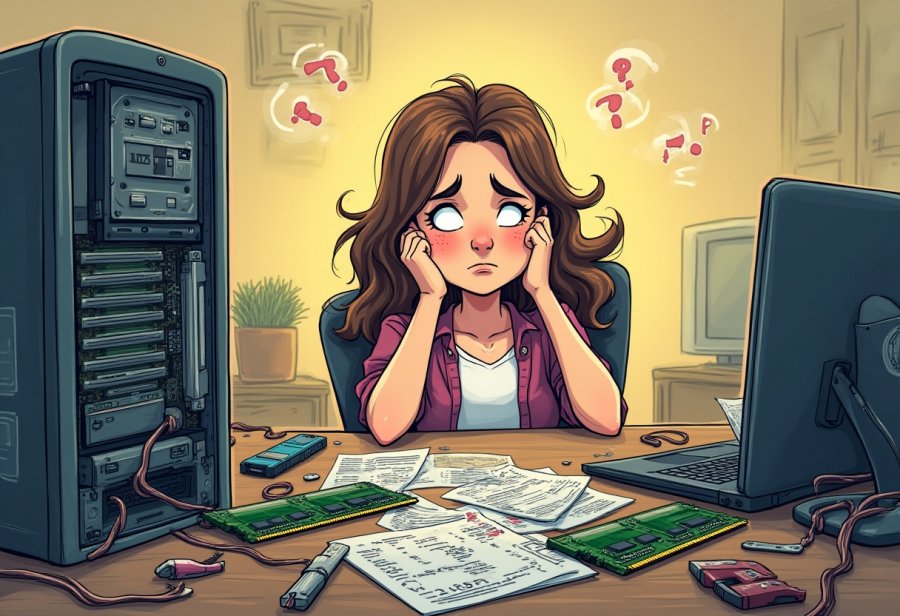
Future Frontiers: Smarter, Easier, Less Chaotic Upgrades Ahead
Looking ahead, the world of DIY computer upgrades promises to become even more accessible and dynamic, despite still carrying a hint of chaos. Advances in hardware standards like PCIe 5.0 and DDR5 RAM will bring higher speeds and greater bandwidth, but they also mean builders need to stay alert about compatibility and new specifications. Fortunately, new tools are emerging to simplify this process—AI-driven diagnostics and compatibility checkers are starting to help identify potential issues before they turn into hardware headaches, making upgrades less about guesswork and more about confidence.
Community innovation continues to push the boundaries of what’s possible in DIY upgrades. Modular cases that allow tool-less component swaps, customizable cooling solutions, and plug-and-play hardware are making the upgrade experience less intimidating and more enjoyable. These innovations encourage experimentation, where mistakes are seen as part of the learning process rather than setbacks. As hardware becomes more adaptable, builders can push their systems further without the fear of tangled wires or incompatible parts derailing their progress.
Energy efficiency is increasingly shaping upgrade choices. More enthusiasts are opting for high-efficiency power supplies and low-wattage components that deliver strong performance while reducing electricity bills and system heat. Cooler, quieter setups are now the norm, driven by standards that promote sustainability without sacrificing power. This shift not only benefits the environment but also encourages smarter, longer-lasting builds that adapt better to future upgrades, reducing the chaos of constantly replacing outdated hardware.
Online communities will remain central to navigating this evolving landscape. Forums, YouTube tutorials, and social media groups are packed with real-world experiences and troubleshooting tips that turn potential chaos into shared knowledge. These spaces foster a culture of curiosity and resilience, helping newcomers avoid common pitfalls like static shocks or incompatible parts. As new hardware hits the market, these communities will be the go-to resource for advice, keeping DIYers empowered and engaged.
Looking further ahead, smarter diagnostic tools and compatibility software will revolutionize the upgrade process. AI-powered support will offer real-time alerts for potential issues, guiding builders through complex decisions and minimizing the risk of mistakes. Modular, adaptable hardware will continue to reduce the hassle of physical upgrades, making it possible to keep systems current without the chaos of tangled cables or incompatible components. These innovations will transform what once felt like a gamble into an approachable, even enjoyable, journey.
In this rapidly changing environment, curiosity and adaptability will remain key. The chaos of tangled wires and hardware surprises isn’t disappearing entirely, but it’s becoming easier to manage thanks to smarter tools and a vibrant community. Each upgrade will be less about troubleshooting and more about exploring new possibilities. As standards evolve and new tech emerges, the experience of building and upgrading will become a creative adventure—one where chaos is just part of the fun, and every challenge is a chance to learn and grow.
